How Apple Shortcuts Has Changed From 2022 to 2026


Apple Shortcuts has changed dramatically over the last few years.
In 2022, most people still thought of Shortcuts as a clever way to connect a few actions together, automate repetitive tasks, or create custom buttons on their iPhone.
By 2026, that definition feels incomplete.
Shortcuts can now interact deeply with apps, react to what you are doing on your device, run from more places across the Apple ecosystem, and even use artificial intelligence to understand information and make decisions inside an automation.
The evolution has been gradual, but looking back from 2022 to 2026 shows just how much the platform has changed.
2022: App Intents changed the foundation
One of the most important changes arrived with iOS 16.
Apple introduced the App Intents framework, giving developers a modern way to expose actions from their apps to Siri, Shortcuts, Spotlight, and other parts of the system.
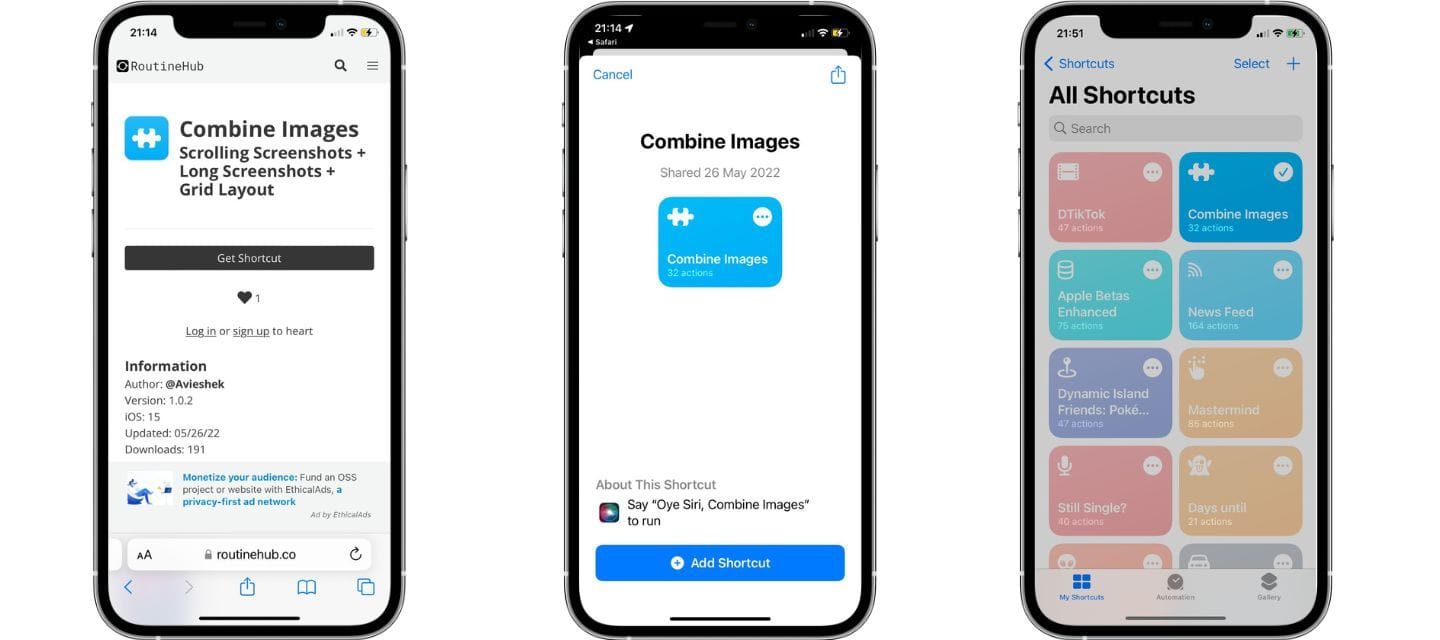
This was bigger than simply adding more actions.
It meant developers could make features from their apps available as building blocks that users could combine with actions from completely different apps.
Instead of every Shortcut integration feeling like a separate feature, Apple was beginning to create a common automation layer across its platforms.
Apple also continued expanding system actions in iOS 16. For example, Shortcuts gained better control over wallpapers, battery information, calendars, sleep data, and other system features.
This helped establish the direction Shortcuts would follow over the next several years:
More apps. More system access. More automation.
2023: Automations became much more practical
With iOS 17, Shortcuts received another substantial collection of actions and automation improvements.
Apple added actions such as Transcribe Audio, new alarm controls, camera actions, and additional ways to interact with system features. Later updates also introduced actions capable of detecting device orientation and determining whether a user was walking, running, cycling, or traveling in a car.
These additions were important because Shortcuts were becoming increasingly aware of the context around them.
A Shortcut no longer needed to simply perform the same sequence every time.
It could react differently depending on your device, activity, location, Focus mode, input, or other conditions.
This is when increasingly sophisticated personal automations became realistic without needing to create an external app.
For Shortcut creators, that meant workflows could become much more dynamic.
2024: Shortcuts became more deeply integrated into iOS
The arrival of iOS 18 pushed Shortcuts further into the operating system itself.
Apple added dozens of new and updated actions across its platforms, along with hundreds of additional glyphs for customizing Shortcut icons.
But some of the most interesting improvements were about where Shortcuts could run.
Control Center gained a dedicated Shortcuts control, allowing users to launch automations directly from Control Center.
Later in the iOS 18 cycle, App Shortcuts could also appear as controls in Control Center and on the Lock Screen.
Apple introduced the Get Current App action as well, allowing a Shortcut to change its behavior depending on which app the user was currently using.
This opened up some interesting possibilities.
Imagine assigning one Shortcut to the Action Button.
Inside Safari it could perform one task.
Inside Photos it could perform another.
Inside Maps it could do something completely different.
The same Shortcut could essentially become a contextual command for your iPhone.
At this point, Shortcuts was becoming less of an app you needed to open and more of an automation engine embedded throughout iOS.
2025: Apple Intelligence entered Shortcuts
Then came one of the biggest changes in the history of the platform.
With the generation of software Apple introduced in 2025, including iOS 26 and macOS Tahoe 26, Apple began integrating Apple Intelligence directly into Shortcuts.
For the first time, users could build automations using dedicated intelligent actions.
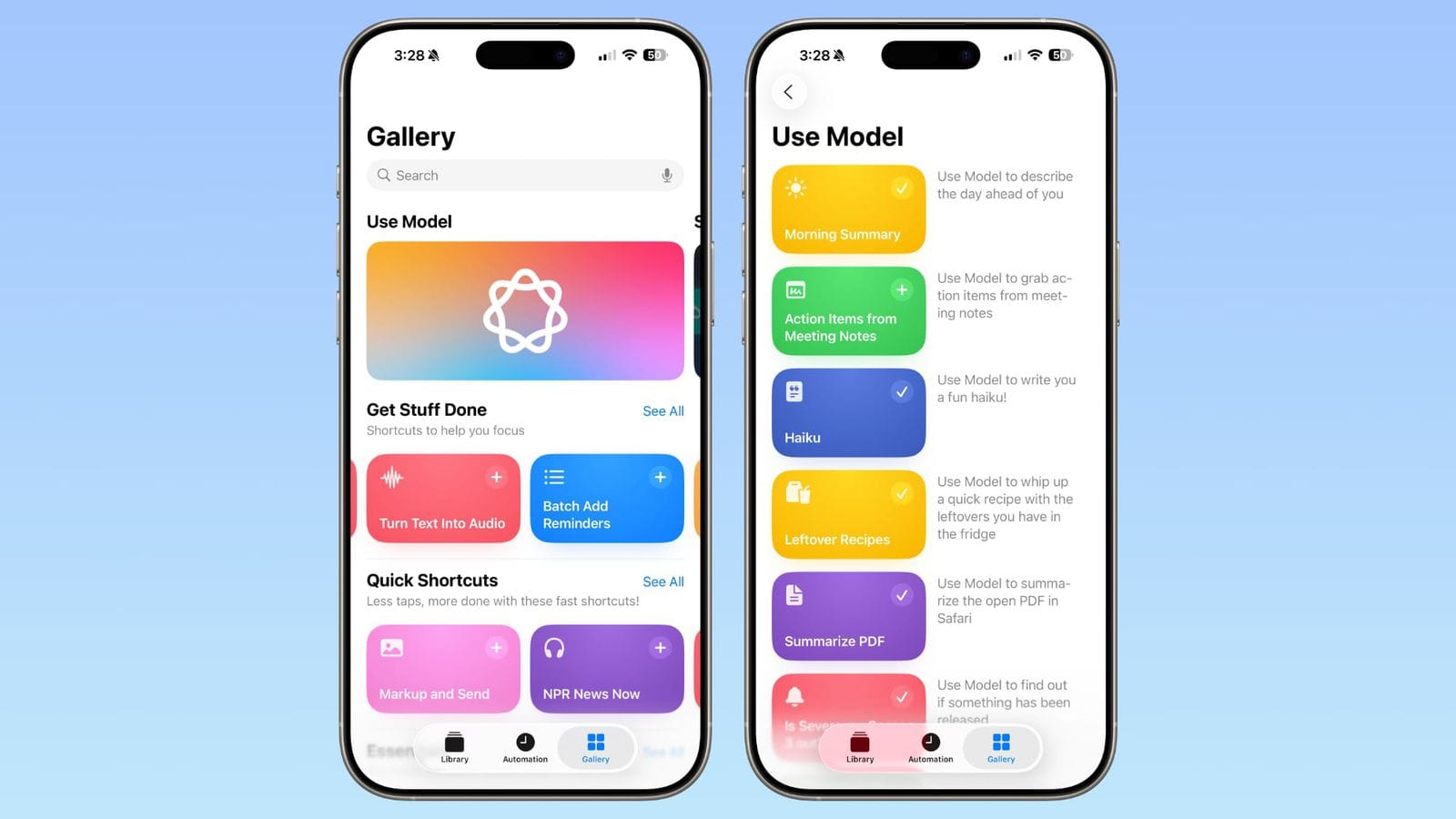
Shortcuts could summarize text using Writing Tools, create images with Image Playground, and interact directly with Apple Intelligence models.
Apple also introduced the powerful Use Model capability.
Instead of building every possible condition manually, a Shortcut could send information to an intelligence model, receive a response, and then continue the workflow using that result.
That changes what an automation can be.
Consider a Shortcut that:
Receives a PDF.
Extracts information from it.
Uses an intelligence model to understand the important details.
Organizes those details.
And adds the resulting information to another app.
Apple itself has demonstrated workflows such as extracting information from PDFs and using it to populate spreadsheets.
That starts looking less like traditional automation and more like a small intelligent agent.
Shortcuts also became more powerful on Mac
Another important part of this evolution has been the expansion of Shortcuts beyond the iPhone.
With macOS Tahoe 26, Apple added personal automations to the Mac.
Automations can react to events such as the time of day or actions like saving a file into a particular folder. Apple also expanded integrations with Spotlight and Control Center.
For people who use Shortcuts for productivity, development, file management, or content creation, this significantly increases what can be automated across an Apple setup.
The vision is becoming increasingly clear:
Shortcuts isn't just an iPhone automation tool.
It is becoming an automation layer across the Apple ecosystem.
2026: You can describe the Shortcut you want
And in 2026, Apple took another major step.
At WWDC26, Apple introduced Describe a Shortcut.
Instead of manually finding every action and assembling the workflow yourself, you can explain what you want your Shortcut to accomplish using natural language.
Apple Intelligence can then reason about that description and assemble the necessary actions for you.
You can even describe changes afterward and have Shortcuts modify the workflow.
Think about how significant that is.
Previously, creating a complex Shortcut required knowing:
- Which actions existed
- Which variables they produced
- How actions passed information between each other
- Where to place conditions
- How dictionaries and lists worked
- How different apps exposed their actions
Those concepts still matter, particularly for advanced creators.
But beginners increasingly won't need to understand all of them before building something useful.
They can start with an idea.
“Create a Shortcut that takes the latest screenshots, summarizes what they contain, saves the summary to a note, and reminds me about it tomorrow.”
Shortcuts can help construct the automation.
That dramatically lowers the barrier to entry.
Siri, App Intents and Shortcuts are getting closer together
Another important development in 2026 is the continued expansion of App Intents.
Apple is using App Intents as a bridge between applications, Shortcuts, Spotlight, Apple Intelligence, and the new capabilities of Siri.
Developers can expose actions and app content that become available throughout the system, while newer App Intent technologies allow Siri to understand and execute more of those actions through natural language.
What started in 2022 is therefore becoming even more important in 2026.
The App Intents architecture introduced four years ago is increasingly becoming one of the foundations connecting apps with Apple's intelligent system experiences.
From workflows to intelligent automation
Looking at Shortcuts in 2022 and Shortcuts in 2026 almost feels like looking at two different products.
The basic idea is still beautifully simple:
Take actions and connect them together.
But those actions have become considerably more capable.
In 2022:
Input → Action → Action → Result
In 2026:
Input → Understand → Decide → Act → Evaluate → Continue
That difference is enormous.
Traditional Shortcuts execute instructions.
Intelligent Shortcuts can increasingly interpret information before deciding what happens next.
But traditional Shortcuts still matter
With all the attention around AI, it would be easy to assume that traditional Shortcuts are becoming less important.
The opposite may actually be true.
Artificial intelligence provides interpretation and reasoning.
Shortcuts provides actions.
AI might understand that an email contains a meeting request.
But something still needs to:
Create the calendar event.
Save the attachment.
Send the response.
Update a reminder.
Open another application.
Store the information.
That is where automation becomes extremely valuable.
AI can determine what should happen.
Shortcuts can determine how it happens on your device.
Together, those two concepts are significantly more powerful than either one alone.
What this means for Shortcut creators
For creators, this evolution opens an entirely new generation of possibilities.
The best Shortcuts of the next few years may not simply contain more actions.
They may combine traditional automation with intelligence.
A Shortcut could contain carefully designed deterministic logic for the things that must happen reliably, while using AI only where interpretation or reasoning is necessary.
That could create workflows that are both predictable and intelligent.
And it gives creators an enormous new playground for experimentation.
The next generation of Shortcuts is already beginning
From App Intents in 2022, to better automations in 2023, deeper system integration in 2024, Apple Intelligence in 2025, and natural-language Shortcut creation in 2026, the direction has become increasingly clear.
Shortcuts is evolving from a visual automation tool into something much larger.
It is becoming the place where apps, automation, personal context, Siri, and artificial intelligence meet.
For those of us who have been building Shortcuts for years, that makes this an especially interesting moment.
The skills the community developed by connecting APIs, manipulating dictionaries, experimenting with variables, building menus, and finding creative ways around limitations are not becoming obsolete.
They are becoming the foundation for a new generation of automation.
And we may only be seeing the beginning.